Displaying the slab displacement as a contour
-
Go to Explorer pane > Data > Tasks and cases > Analysis tasks and right click on each entry. Select Delete.
-
Press Analyse all to analyse the load:

This will recreate the static analysis task and add in all the new load cases.
-
In the graphics window type P on your keyboard to change to a plan view.
-
In the Properties pane, select the Contours tab:
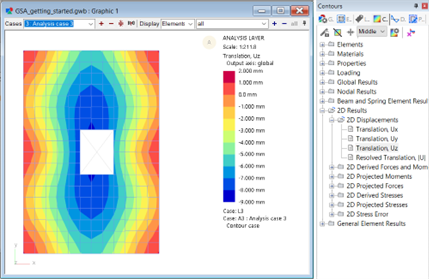
Scroll down until you find the 2D element results options.
- Select an option to display the element displacement results.