Creating and manipulating geometry
The three most common methods of inputting and manipulating data into GSA are with sculpting tools, manually editing tables and copying.
Sculpting
Use the sculpt toolbar to define geometry in the graphics window.

Manually editing tables
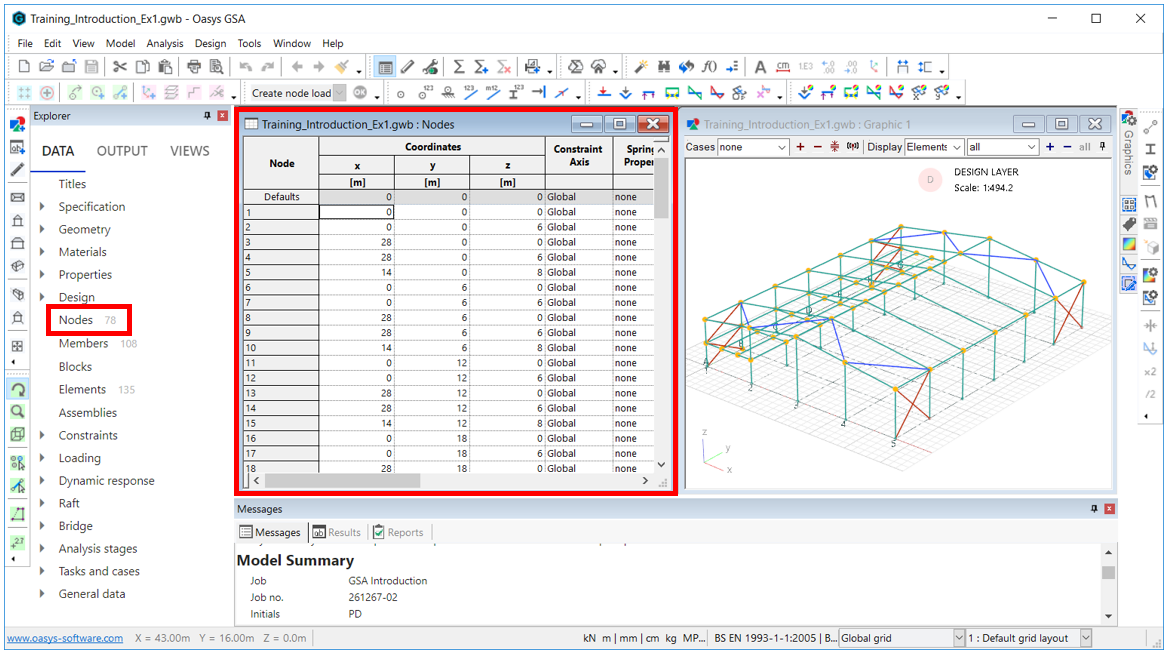
For example, to edit the node positions, go to Explorer pane > Data > Nodes to bring up its corresponding input table.
Copying
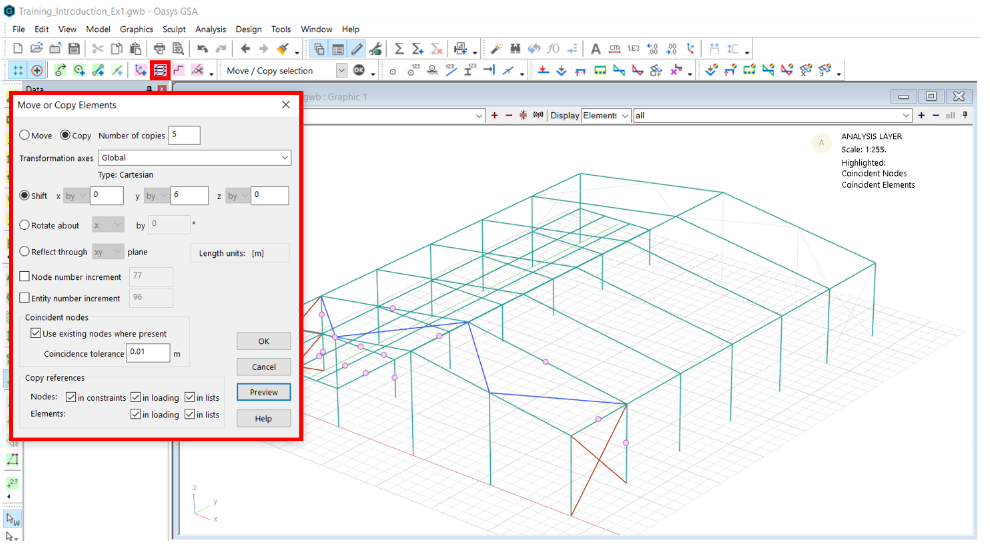
Select an entity and use the Copy icon:  or Ctrl+Alt+C to duplicate existing geometry to extend the model.
Additional data inputting
Data can also be inputted:
- Via a text file (advanced option) - Copy data out in GWA format, edit, and replace
- Using an API - Using an Application Programme Interface to create and edit GSA files