2D Element Axes
2D element local axes may be defined either by reference to an axis set or topologically. This is determined by the axis system defined in the 2D element property. If the axis system is ‘global’ or user defined then the specified axis set is used. If the axis system is ‘local’ then the topological definition is applied. User defined axes can be Cartesian, cylindrical or spherical.
Typically defining 2D element local axes by reference to an axis set results in more consistent local axes in the mesh.
The local axes for flat 2D elements are chosen so that the plane of the element is the local x-y plane.
The normal to the element is defined as
and the z axis vector is then
Where is the coordinates on a point on the element, i.e. the coordinates of the node, , plus any offset, , at that topology position.
2D element axes defined by axis set
If the 2D element property axis is set to other than 'local' then the specified axis system is projected on to the element. For Cartesian axes the x axis of the axis set is projected onto the element
The exception to this rule is when the x axis of the axis set is within 1° of the element normal in which case a vector for an interim y axis is defined as
This axis set is then rotated about the element normal equivalent to an orientation angle of 90°.
For Cylindrical and Spherical axes the z axis of the axis set is projected on to the element to become the local y axis.
Topological definition of 2D element axes
If the 2D element property axis is set to 'local' the local x and y axes are based on the topology of the element.
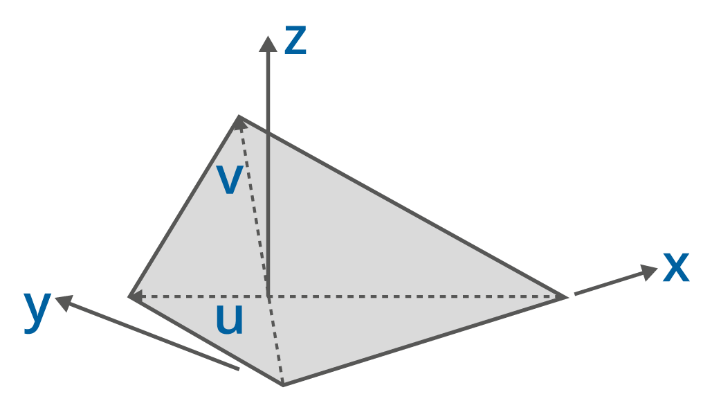
If an orientation angle is defined these axes are rotated by the orientation angle in a positive direction about the element z axis.